



All cases

UX/UI design & front-end build for a Gen AI assistant embedded into MES

Client
A manufacturing technology company helping factories modernize operations and accelerate digital transformation
Industry
Manufacturing, Industrial automation
Services
UX/UI design, front-end development, product discovery, Gen AI interface integration
Tech stack
Figma, Vuetify (CSS framework), Vue.js, AWS, Amazon S3 bucket, Amazon Cognito user pools, Django, REST API, GraphQL, MySQL, Elasticsearch, WebSocket

Challenge

The client set out to help factories eliminate operational friction caused by fragmented knowledge, manual workflows, and reliance on physical documentation. Operators and field engineers often waste time looking for paper manuals, chasing tribal knowledge, or walking to machines to verify operational statistics. That slows onboarding, increases downtime, and makes KPI reporting unreliable. The company was building a modular manufacturing execution system (MES) that could be deployed across factories with minimal customization. A centerpiece of this vision was a Gen AI–powered assistant: a conversational interface that would let employees search the knowledge base, query operational dashboards, and create and resolve maintenance tickets in seconds. But AI only works if people use it. The client needed a partner to design and implement a high-performance, intuitive user interface (UI) that busy factory teams would actually adopt. This interface also had to ensure the AI assistant integrated seamlessly into all existing workflows.

Solution

ITRex joined the project to design and build the user interface for the Gen AI assistant and deliver the front-end implementation that integrates into the client’s MES environment. As a result, users can log into the MES and open a window where they can interact with the assistant in GPT style. But this is not a simple agent call; it’s a comprehensive solution that is embedded in all systems and workflows.
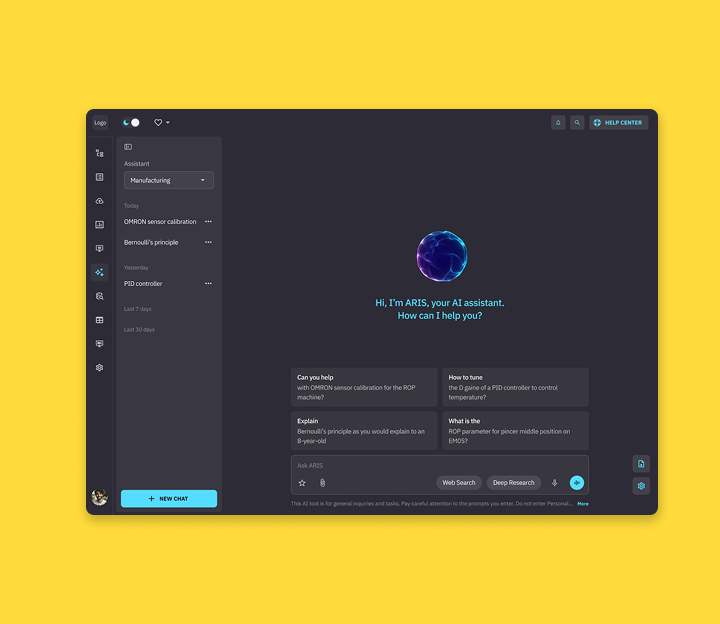
An intuitive UI to interact with the Gen AI-powered MES assistant The MES assistant supports multiple Gen AI agents (e.g., manufacturing, financial, and language-specific agents such as Spanish and Japanese) that work with different large language models (LLMs). Within the scope of this case study, we focus on the manufacturing agent. Our interface presents a clean experience where users can:
Select the agent and LLM appropriate for the task without understanding the underlying orchestration
Define the answer structure for a chatting session. For instance, the user can send a prompt asking the assistant to give concise answers, bullet lists, etc.
Save frequently used prompts as favorites
Access role-specific FAQs directly inside the chatroom
Ask the AI assistant to conduct research and generate reports on a given topic in conversational and podcast formats
Knowledge base & document-driven conversations We designed UI flows that let employees interact with their company’s knowledge base that we also helped develop.
Users with specific access permission can upload PDF documents and images to the knowledge base. Employees can also upload free-form text, but this format is subject to approval. This system enables senior specialists to share their advanced knowledge and make it accessible to their less experienced colleagues.
Any employee can query the centralized knowledge base without hunting for physical manuals
Employees can upload documents to the chat, making them the topic of the conversation. These documents are removed when the session ends.
Tickets & maintenance workflows that don’t slow people down We designed collaboration flows between the AI assistant and the maintenance teams:
The Gen AI assistant can automatically generate tickets upon noticing an issue on the factory floor
Employees can also create and assign tickets in a few clicks
The maintenance team can resolve issues either by searching the knowledge base directly or by asking the AI assistant for recommendations. After receiving the initial recommendations, employees can continue troubleshooting via text or voice prompts. The AI always displays references, such as docs, prior tickets, etc., to support its point.
There is a disclaimer stating that the AI assistant can hallucinate and prompting users to verify any given recommendation.
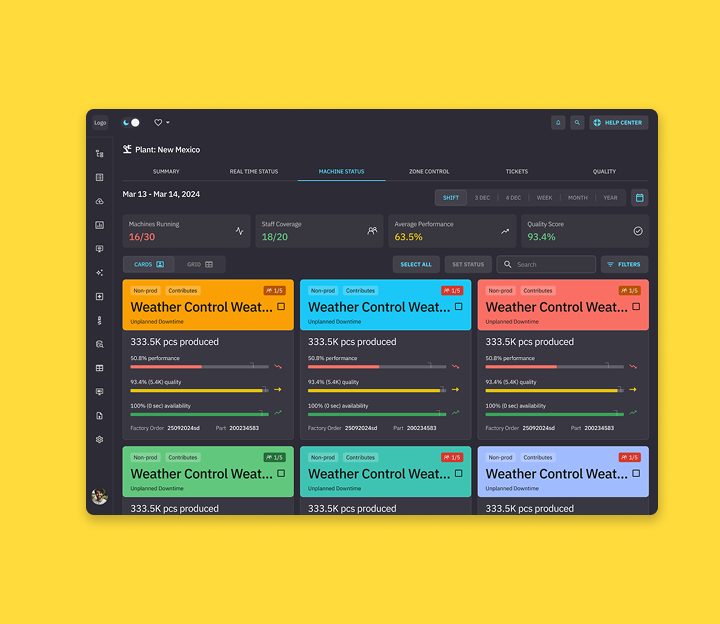
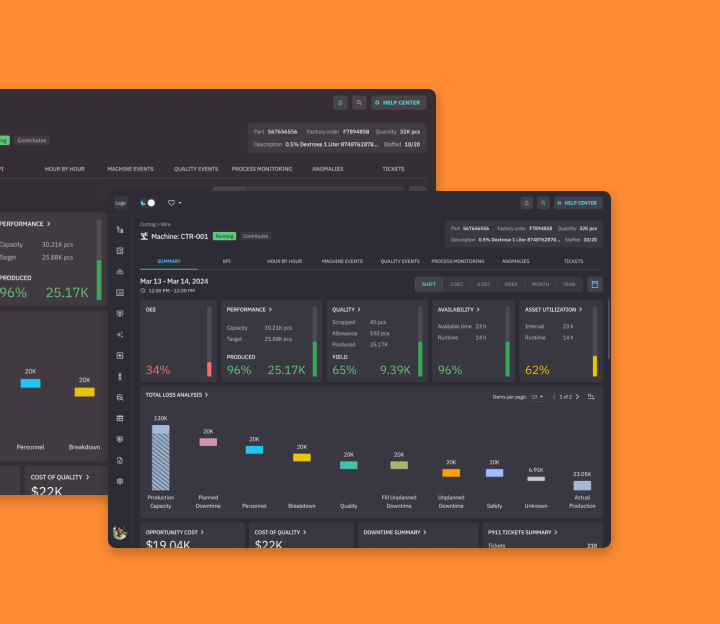
Dashboards made conversational The UI also supports standardized dashboards displaying statistics on machine performance. Factory managers can ask questions about these stats and their implications in natural language. They can query machine statistics and KPIs and receive structured answers inside the assistant—without switching tools.

Tech

UI design We designed the assistant experience from scratch in Figma, including Figma AI, and validated it for accessibility. Our goal was to make complex manufacturing workflows feel as simple as consumer chat apps—without losing enterprise control. The UI was built around:
A familiar chat-driven workflow (similar to tools like ChatGPT and Gemini)
Clear information hierarchy for fast scanning on the factory floor
UI patterns that reduce friction for high-tempo roles (operators, maintenance, managers)
Responsive layouts for tablets, smartphones, and laptops
LLM output processing A major technical challenge was rendering LLM outputs according to the client’s requirements. Our team implemented logic that:
Transforms raw AI responses from Markdown into structured HTML
Enforces consistent typography, lists, tables, and charts
Allows data-heavy outputs (e.g., tables) to be viewed in full-screen mode
We used Vuetify to ensure consistency of the site’s components and its accessibility across devices. Because users interact with live data, AI responses, and ticket workflows simultaneously, the interface relies on WebSocket-based communication to keep interactions responsive and synchronized.
Data storage On the back end, we store user roles, permissions, and user settings, both standard (such as how many documents a person can upload at once) and customizable (that a user can change per every chat session, such as the LLM used). We also store all the chats and favorite questions for each user. Our team opted for Django for back-end development; Amazon S3 bucket for file storage and management; Amazon Cognito user pools for user management; MySQL and Elasticsearch for storage; and REST API and GraphQL for data retrieval.
Voice-based interactions To keep hands free and reduce friction, the assistant supports voice prompts. The UI displays live transcription so users can correct misheard commands before submitting—an important feature for noisy factory environments. AWS native voice-to-text conversion is used for this feature. The assistant can also generate daily podcasts describing the state of the factory or individual machines on a given day.

Impact

The solution is still in progress, but early outcomes already show strong operational value:
Reducing onboarding time by 50%, from four weeks to two
Speeding up troubleshooting through AI-guided recommendations instead of manual document search
Minimizing downtime duration when equipment breaks, thanks to quicker ticketing and resolution flows
Enabling more accurate and timely decision-making, supported by dashboards with real-time data
Enabling data-driven dashboard design. By analyzing how users interact with the AI assistant, the client sees which operational metrics matter most in practice.
Facilitating knowledge retention at scale by enabling experienced staff to codify and share expertise by uploading it to the knowledge base

Latest projects